
Startek FM220U L1 RD Service & Driver Download
Download RD Service software and support tools for the Access FM220U L1 fingerprint scanner for compatible Windows and Android systems.
Downloads
Choose the package for your operating system.
Access FM220U L1 Fingerprint Scanner
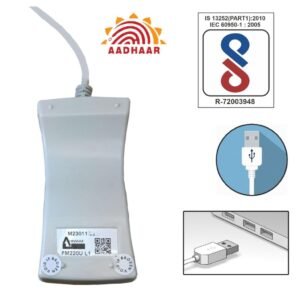
The Access FM220U L1 fingerprint scanner is a USB L1 Registered Device designed for compatible biometric authentication applications.
Device: Access FM220U L1 | Type: L1 Registered Device | Connectivity: USB
Installation Guide
Windows
- Download the Windows RD Service.
- Extract the ZIP file and run the setup.
- Connect the FM220U L1 by USB.
- Test it with your compatible biometric application.
Android
- Download the Android L1 RD Service.
- Connect the scanner using compatible USB OTG.
- Allow USB permissions when prompted.
- Test the device with your compatible application.
Troubleshooting
Scanner not detected: Check the USB connection and confirm that the required RD Service is installed and running. On Windows, install the Support Tools and restart the computer.
Android not detecting the scanner: Check USB OTG support, permissions, Android compatibility, and the installed L1 RD Service.
FAQ
Need the FM220U L1 Scanner?
Purchase the Access FM220U L1 L1 C-Type Fingerprint Scanner from NTP Tech Store.