
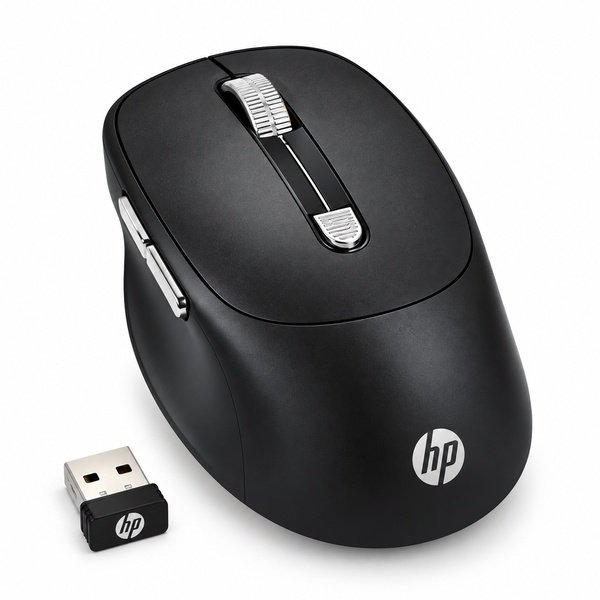

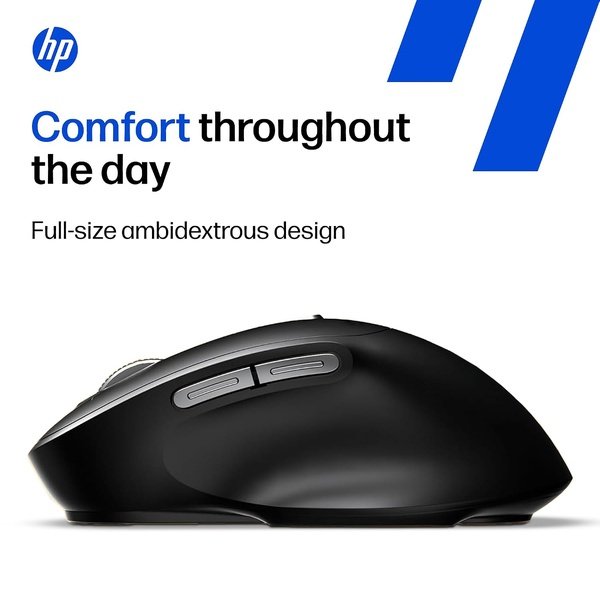
The HP M290 Wireless Mouse is designed for convenient and comfortable computer navigation at home, in the office, or while studying. Its wireless design helps reduce cable clutter, giving you more flexibility when arranging your workspace. With six physical controls, it offers practical functionality for everyday computing and productivity.
The mouse features left and right click buttons, a 3D metal scroll wheel, and a dedicated DPI switch button for convenient control. The adjustable DPI function allows users to change cursor sensitivity according to their preferences and working requirements. This makes it useful for browsing, document editing, navigating applications, and other daily computer tasks.
One of its key features is the silent-click design. The left and right buttons are specified to offer up to 90% noise reduction, helping create a quieter working environment. This can be particularly useful in shared offices, libraries, study rooms, and other noise-sensitive spaces.
The HP M290 is a practical wireless mouse for users who value convenient controls and quieter operation. Check the exact product variant for wireless connectivity details, DPI levels, battery requirements, and operating system compatibility before purchasing.
Choose the HP M290 Wireless Mouse for comfortable navigation, dedicated DPI control, and quieter everyday clicking.
Product Specifications
| Product Specifications | Details |
|---|---|
| Brand | HP |
| Product Name | HP M290 Wireless Mouse |
| Model | M290 |
| Product Type | Wireless Computer Mouse |
| Connectivity | Wireless; verify exact connection technology |
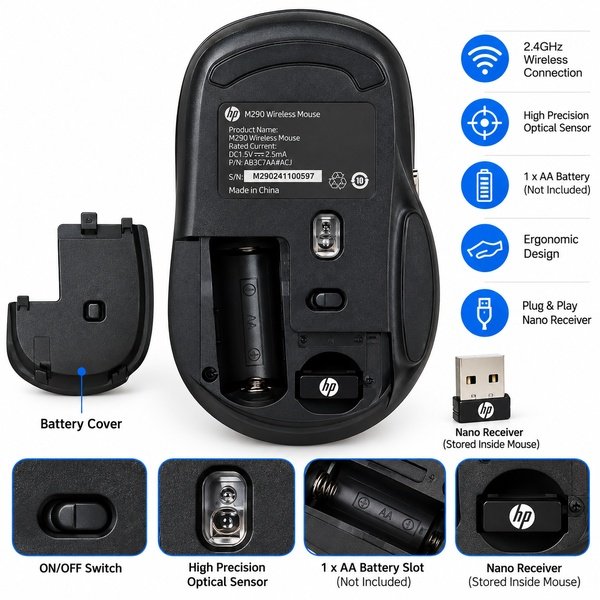
| Wireless Technology | 2.4 GHz wireless via a plug-and-play USB-A nano receiver |
| Number of Physical Controls | 6 |
| Button Configuration | Left Click, Right Click, Scroll Wheel and Additional Controls |
| Scroll Wheel | 3D Metal Scroll Wheel |
| DPI Control | Dedicated DPI Switch Button |
| DPI Resolution | Exact DPI levels not specified |
| Click Technology | Silent Click Design |
| Noise Reduction | Up to 90% for Left and Right Clicks, as specified |
| Sensor Type | Verify manufacturer specifications |
| Power Source | Battery |
| Battery Requirement | Yes |
| Operating System Compatibility | Verify exact model compatibility |
| Intended Use | Office work, study, browsing, and everyday computing |
| Design | Wireless Mouse |
| Package Contents | 1 × HP M290 Wireless Mouse and included accessories; verify package contents |
FAQ’s
Q1. How many buttons does the HP M290 wireless mouse have?
A1. The supplied specifications state that it has six physical controls, including left and right click buttons, a 3D metal scroll wheel, and a dedicated DPI switch.
Q2. Does the HP M290 wireless mouse support silent clicking?
A2. Yes, its left and right click buttons are specified to provide up to 90% noise reduction for quieter operation.
Q3. What is the function of the DPI switch button on the HP M290?
A3. The dedicated DPI switch lets users adjust cursor sensitivity according to their preferred navigation speed. Exact DPI levels should be confirmed from the product documentation.
Q4. What type of scroll wheel does the HP M290 have?
A4. The HP M290 features a 3D metal scroll wheel for convenient page and document navigation.
Q5. Is the HP M290 suitable for office and study use?
A5. Yes, its wireless design, multiple controls, and quieter left and right clicks make it suitable for offices, study areas, and everyday computing.


Reviews
There are no reviews yet.