
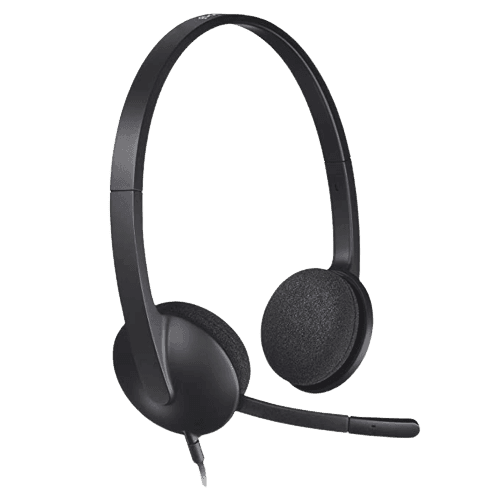


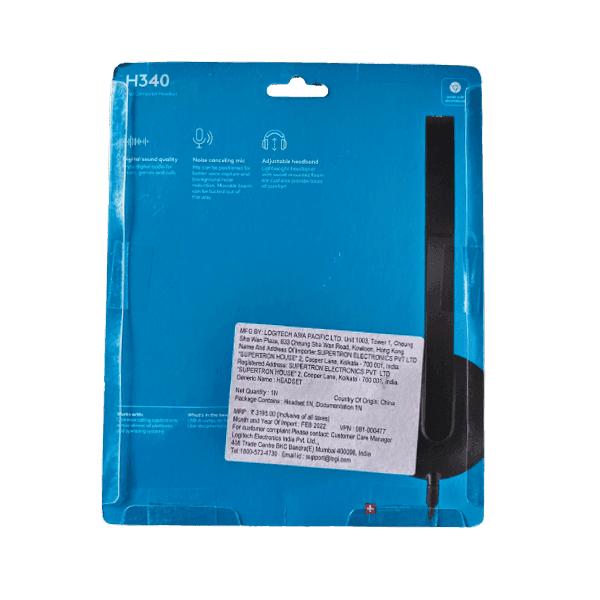
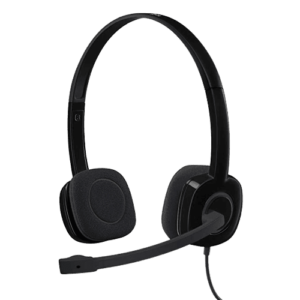
Enjoy clear digital audio for work, learning, and entertainment with the Logitech H340 USB Headset. Designed for everyday communication, this lightweight wired headset connects via USB-A, providing reliable plug-and-play performance without the need for additional drivers. Whether you’re attending online meetings, making voice calls, participating in virtual classes, or listening to multimedia content, the H340 delivers crisp stereo sound and dependable voice clarity.
The integrated noise-cancelling microphone helps reduce background noise, ensuring your voice is heard clearly during video conferences and VoIP calls. The microphone can be positioned for optimal voice pickup and rotated out of the way when not in use. Lightweight construction, an adjustable padded headband, and soft foam ear cushions provide lasting comfort for extended use throughout the day.
Compatible with Windows, macOS, ChromeOS, and most popular communication platforms including Microsoft Teams, Zoom, Google Meet, and Skype, the Logitech H340 is an ideal headset for home offices, schools, customer service, and business environments.
Product Specifications
| Product Specifications | Details |
|---|---|
| Brand | Logitech |
| Product Name | H340 USB Headset |
| Model | H340 |
| Product Type | Wired USB Stereo Headset |
| Connectivity | USB-A |
| Audio Type | Stereo |
| Microphone | Noise-Cancelling Boom Microphone |
| Microphone Rotation | 180° Rotating Boom |
| Microphone Mute | No |
| Speaker Frequency Response | 20Hz – 20kHz |
| Microphone Frequency Response | 100Hz – 10kHz |
| Sensitivity | Not Available |
| Cable Length | 1.8 metres |
| Headband | Adjustable |
| Ear Cushion Material | Soft Foam |
| Plug and Play | Yes |
| Compatible Operating Systems | Windows, macOS, ChromeOS |
| Compatible Applications | Microsoft Teams, Zoom, Google Meet, Skype and other VoIP platforms |
| Colour | Black |
| Package Contents | Logitech H340 USB Headset, User Documentation |
FAQ’s
Q. Does the Logitech H340 use a USB connection?
Ans. Yes. The Logitech H340 connects via a USB-A port and offers simple plug-and-play installation.
Q. Is the microphone noise-cancelling?
Ans. Yes. The H340 features a noise-cancelling boom microphone that helps minimise background noise for clearer voice communication.
Q. Can I use the Logitech H340 for Zoom and Microsoft Teams meetings?
Ans. Yes. The headset is compatible with popular communication platforms including Zoom, Microsoft Teams, Google Meet, Skype, and other VoIP applications.
Q. Is the Logitech H340 suitable for online classes and remote work?
Ans. Yes. Its clear stereo audio and noise-cancelling microphone make it ideal for remote work, online learning, video conferencing, and everyday communication.
Q. Does the Logitech H340 require drivers to install?
Ans. No. It is a plug-and-play USB headset that works automatically with most supported operating systems.
Reviews
There are no reviews yet.